Solar Fire X
Read the chart with more context.
Read chart-linked descriptions, browse interpretation texts and edit wording for your reports.
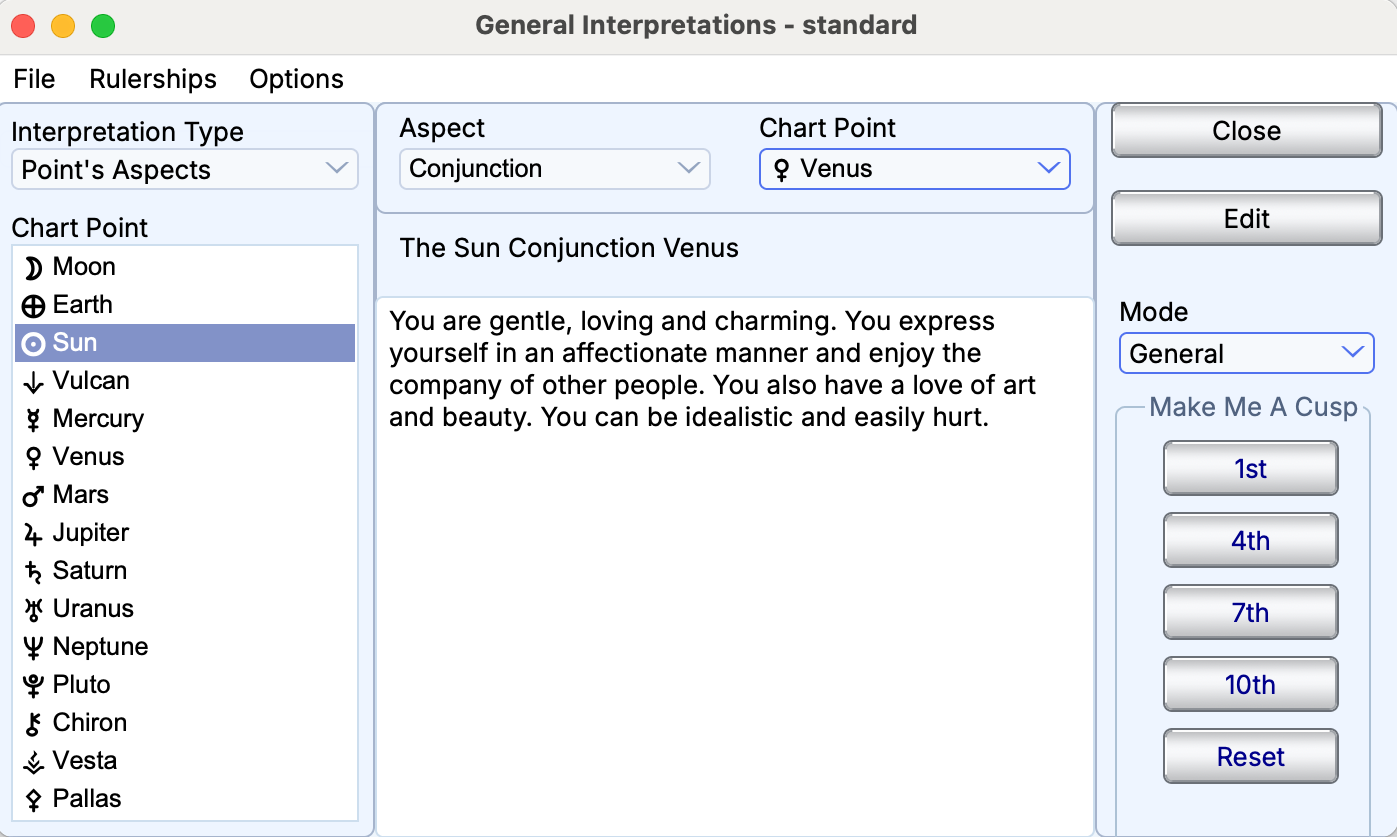
Browsing the supplied Sun conjunct Venus interpretation text.
Interpretations
Features at a glance
Chart-linked text
- Natal and synastry text
- Progression, return, combined and prenatal interpretation-file selections
- Transits, progressions and directions to natal positions
- Firdaria: current period, previous/current/next and lifetime reports
- Midpoint and planet-to-midpoint reports
- Sabian Oracle
Browse by chart factor
- Degrees and decanates
- Signs and houses
- Elements and modes
- Quadrants and hemispheres
- Aspects and rays
- Lunar phases
- Signs on house cusps
- Chart points and their house/sign positions
- House rulers and dispositors
- Midpoints and point-to-midpoint relationships
- Nakshatras
Reading modes
- Current-chart interpretations
- General interpretation browsing
- Modern, traditional, esoteric and hierarchical rulership selections
Custom interpretation reports
- Editable interpretation text
- Full and synastry report generation
- Separate text-file choices for different chart and timing types
Read alongside the chart
View available sign, house and aspect descriptions alongside the chart factors they explain.
Double click on a point to view interpretations. Change the Interpretation type for other descriptions.
Change Coverage depends on the supplied interpretation set and chart context; text is not available for every calculated point.
Browse texts directly
Explore general interpretation text without selecting a chart factor first. Move between the available texts for natal, relationship and timing work.
Make the wording your own
Edit interpretation text to suit the way you explain a chart. Choose separate text files for different chart and timing types. Always use Save As with a new file name for your changes. This ensures that your interpretations won’t be overwritten if you re-install the program.
Create written reports
Generate full natal and synastry interpretation reports from the available text. Use the analytical reports for the calculated positions, contacts and tables that support your reading.