MAIN SCREEN
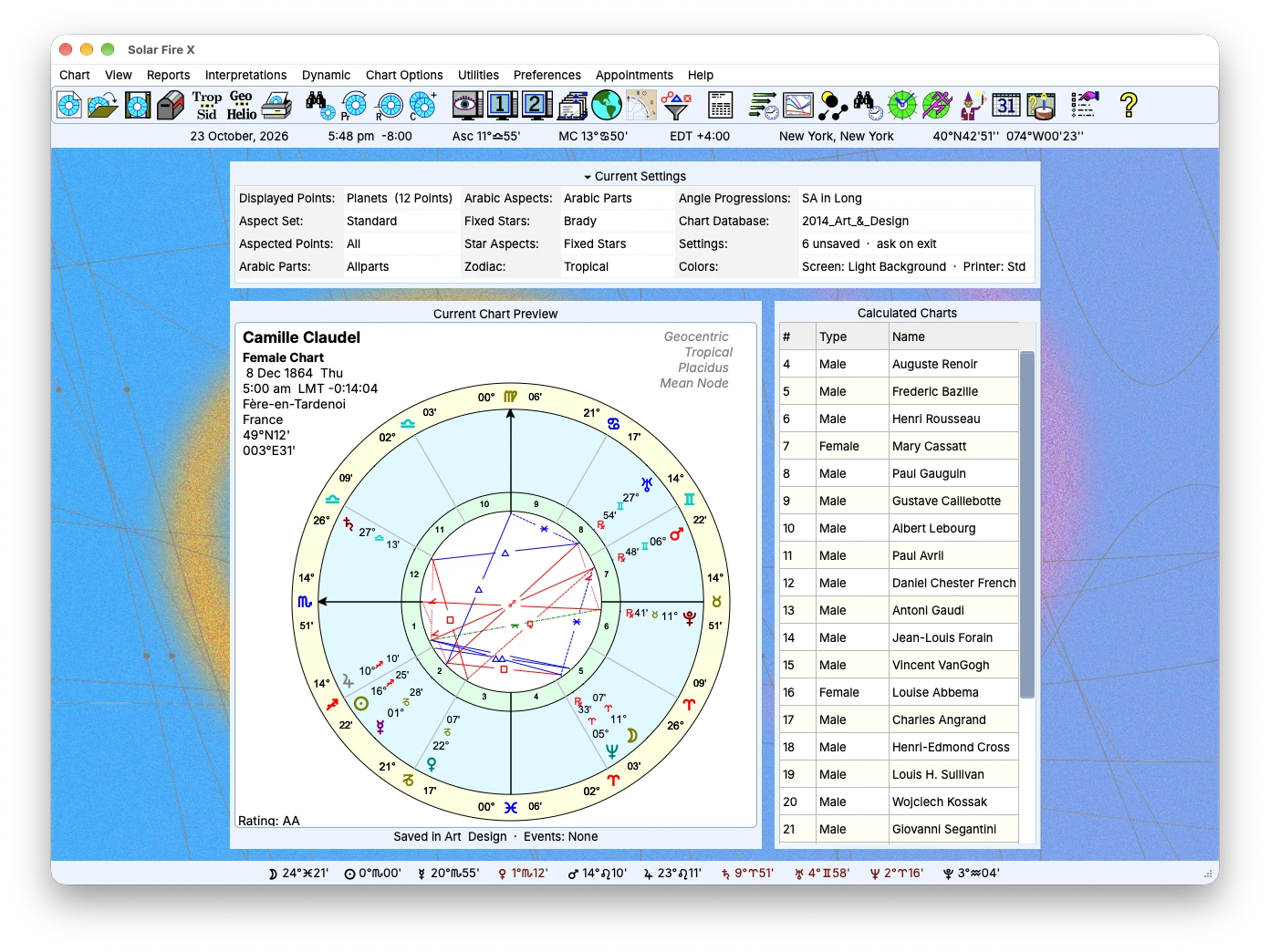
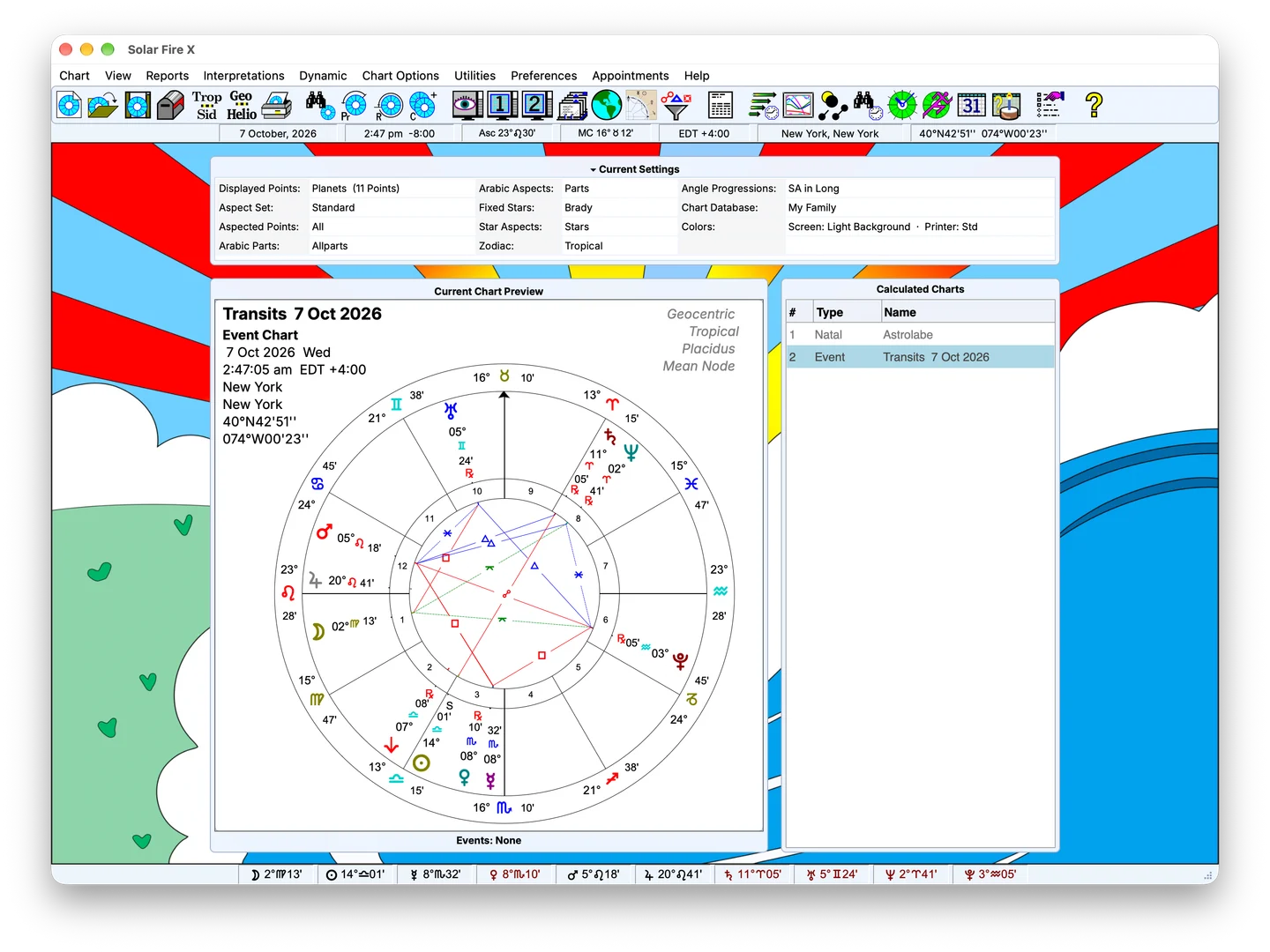
Chart preview, calculated charts and current settings in a colorful workspace.
The main screen
Calculated charts, current settings and the planet bar — the desk everything starts from.
Related feature →Features
Calculate and compare charts, explore timing and locations, and turn your analysis into chart pages and reports. Solar Fire X brings these tools together on Windows and native Mac.
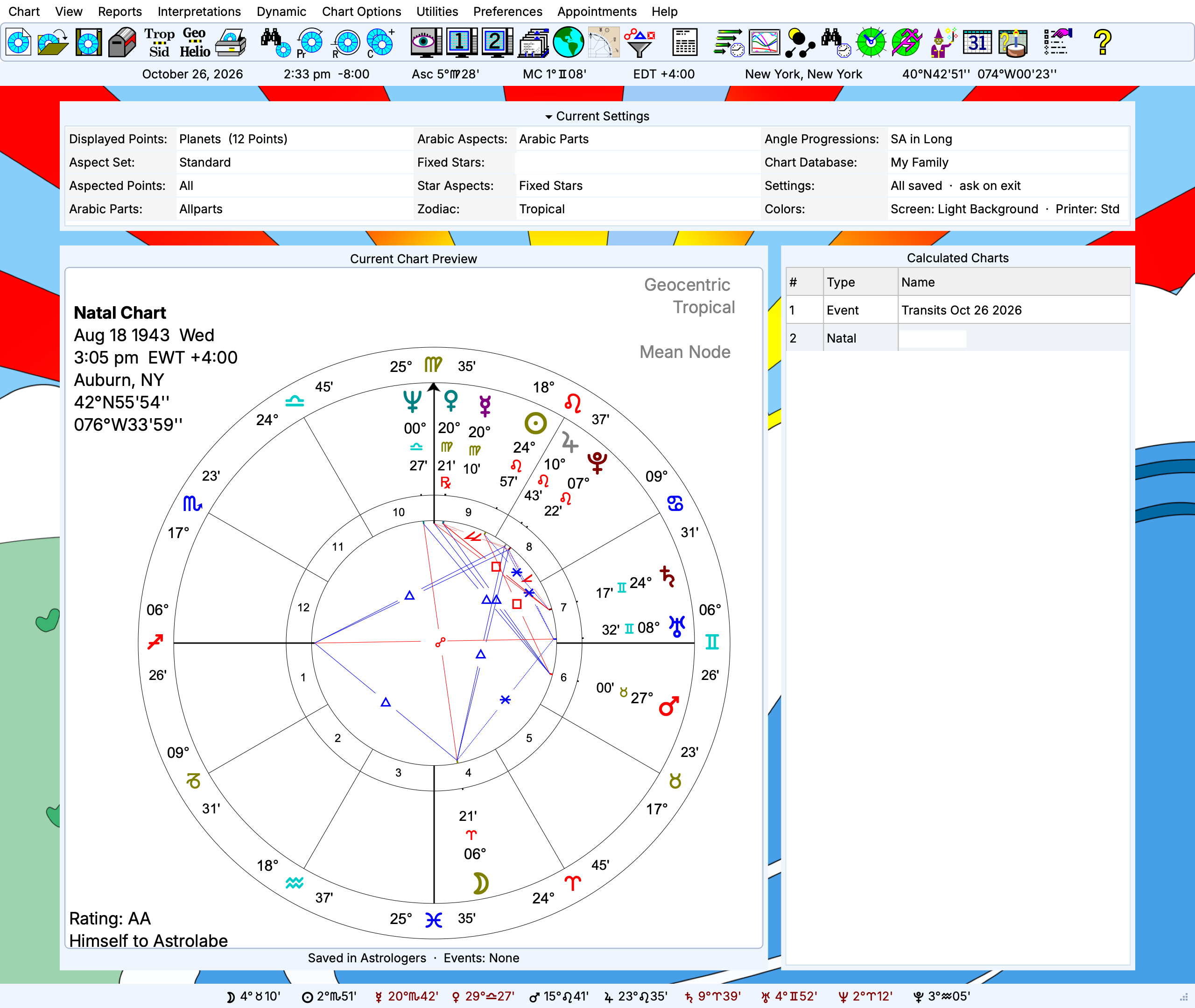
Chart preview, calculated charts and current settings in Solar Fire X.
Feature index
Calculation · Wheels · Design
SOLAR FIRE's capabilities include natal, progression, directed, any planet or asteroid return, pre-natal, rising/setting, lunar phase, locality, heliocentric, composite, harmonic and harmonic arc transform charts and more...
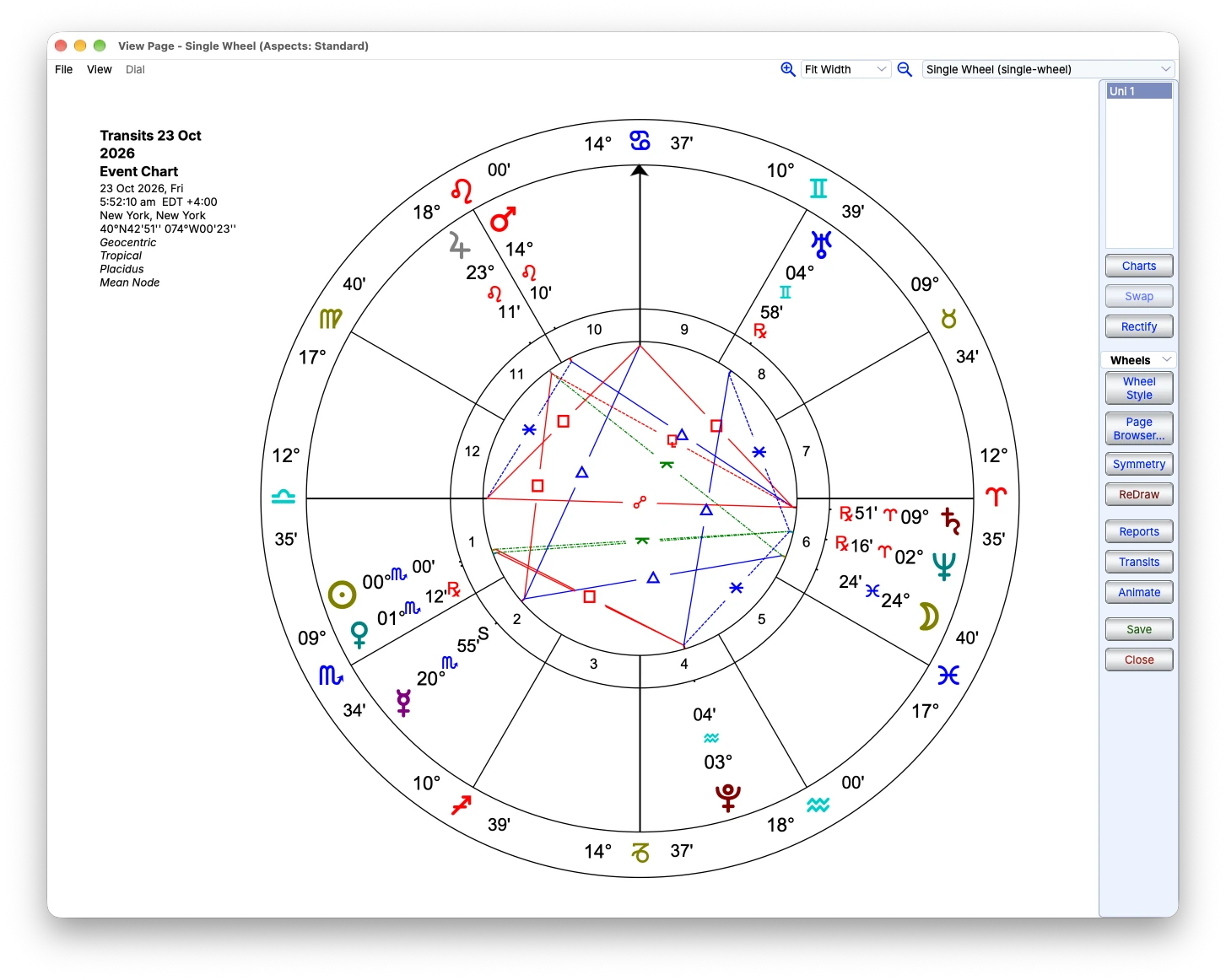
A single chart wheel with planetary positions and aspect lines.
Astrocartography
Explore planetary lines around the world on Google maps, including natal, parans, and midpoints and compare places with relocated charts.
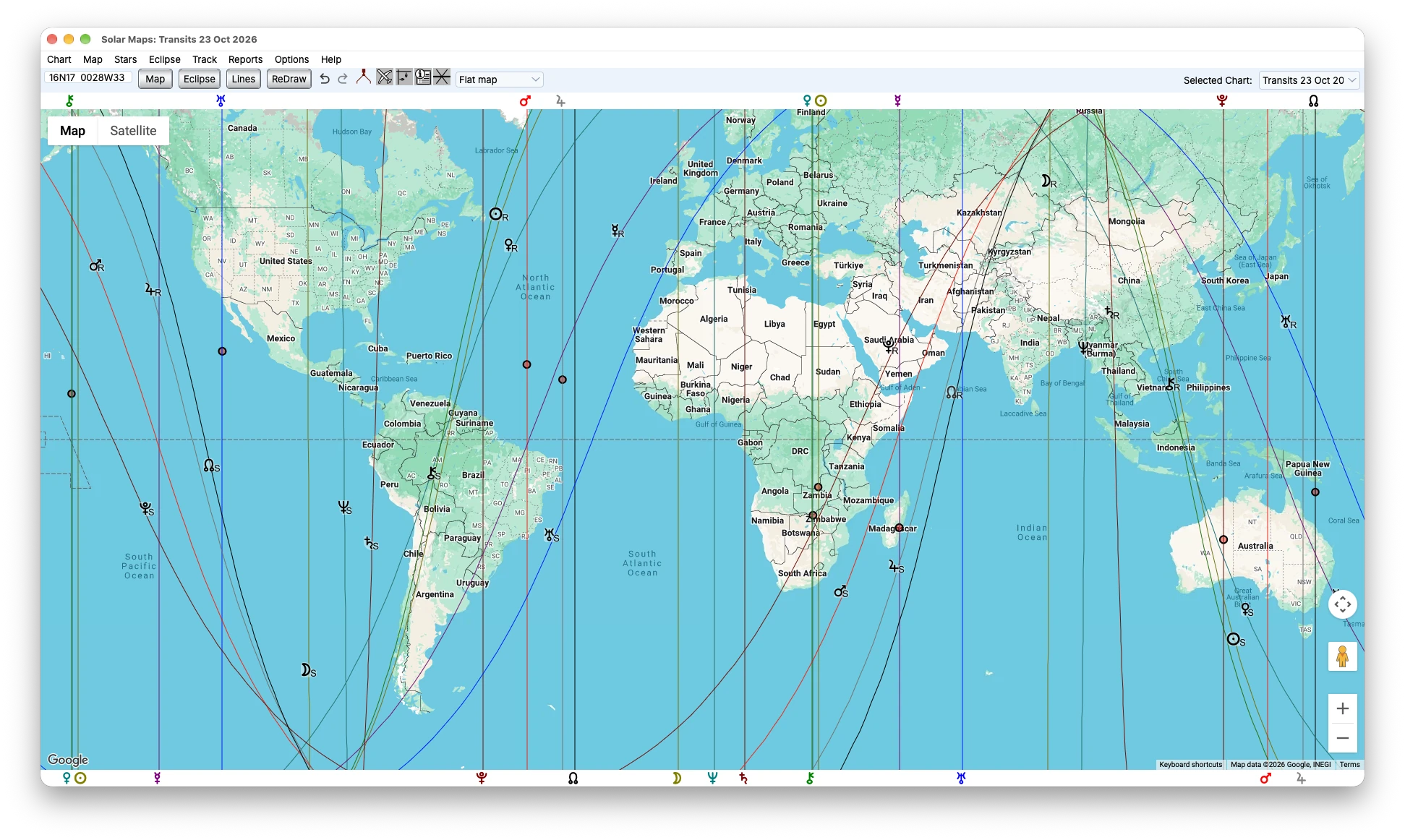
Solar Maps with planetary lines across the world map.
Midpoints · Dials · Speculum
Explore midpoints and planetary pictures relationships in a dedicated dial workspace. Bring coordinate and Speculum listings into the analysis as you examine chart positions.
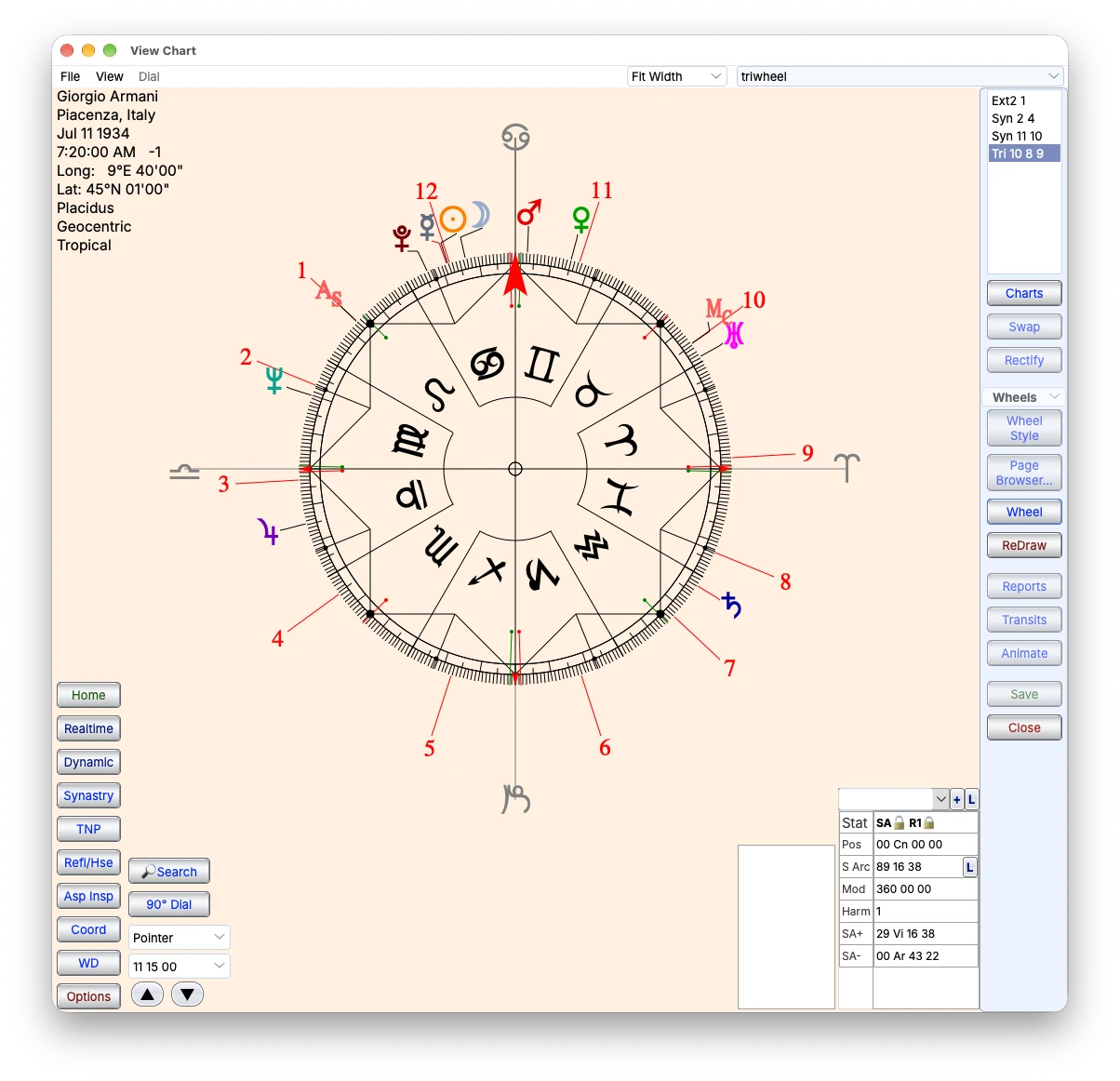
A full zodiac wheel with pointer controls and coordinate information.
Analysis · Tabulation · Output
Examine analytical tables alongside your charts. Arrange chart material in reusable pages and export supported HTML reports and Speculum views as PDFs. New reports include Glenn Perry’s Developmental Age Method.
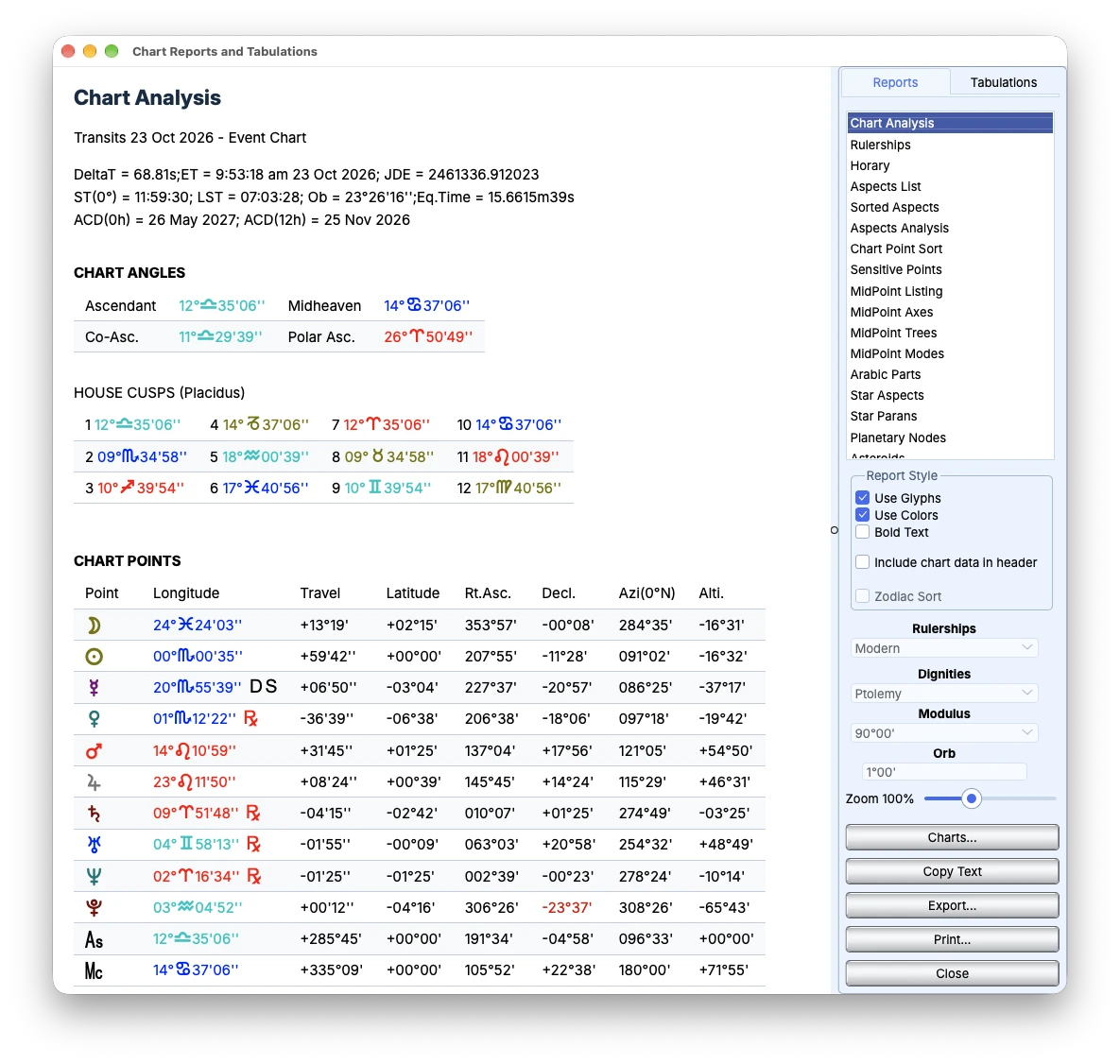
Chart factors, house rulerships and planetary positions in Chart Analysis.
Interpretation · Text · Editing
View available interpretation text alongside chart factors. Move between individual descriptions and the chart as you develop your reading.
Transits · Directions · Time Maps
Track transits, progressions and directions through event reports, Time Maps and the Graphic Ephemeris. Move between dates and chart views as you develop your analysis.
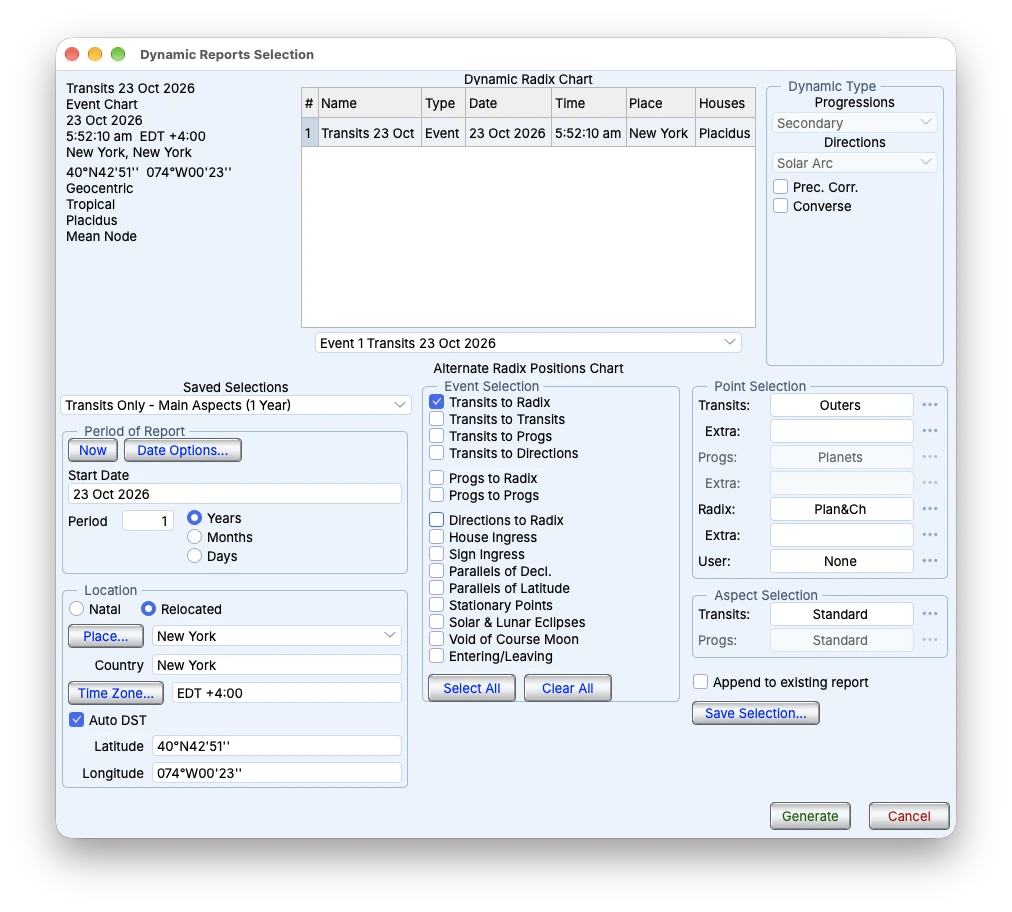
Select chart, period and event types for a dynamic report.
Search · Elections · Data
Search chart collections using selected conditions and open matching results for further work. Use electional tools to find candidate times within a chosen date range.
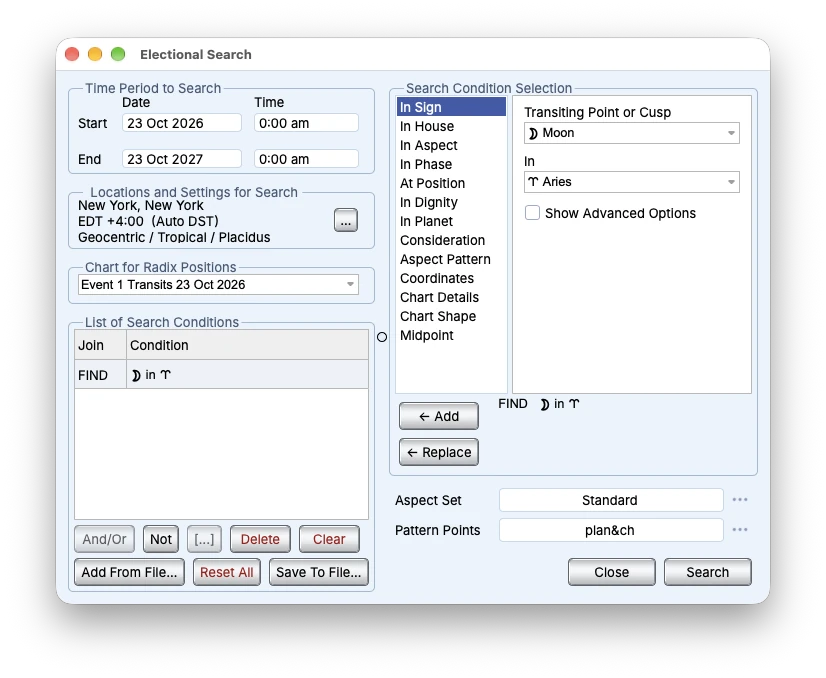
Date range, location and a selected condition in Electional Search.
By practice
Explore the tools for your practice: search candidate times for electional work, examine dignities and Lots for traditional astrology, or compare mapped lines and relocated charts for astrocartography.
See it work
Follow the workflow from chart calculation to timing, maps and reports.
Chart preview, calculated charts and current settings in a colorful workspace.
Calculated charts, current settings and the planet bar — the desk everything starts from.
Related feature →A single chart wheel with planetary positions and aspect lines.
Examine the chart wheel, compare chart layers and focus on the aspects relevant to your analysis.
Related feature →A single chart advancing through dates in the native animation workspace.
Use the real-time clock and chart animation to examine how positions change over time.
Related feature →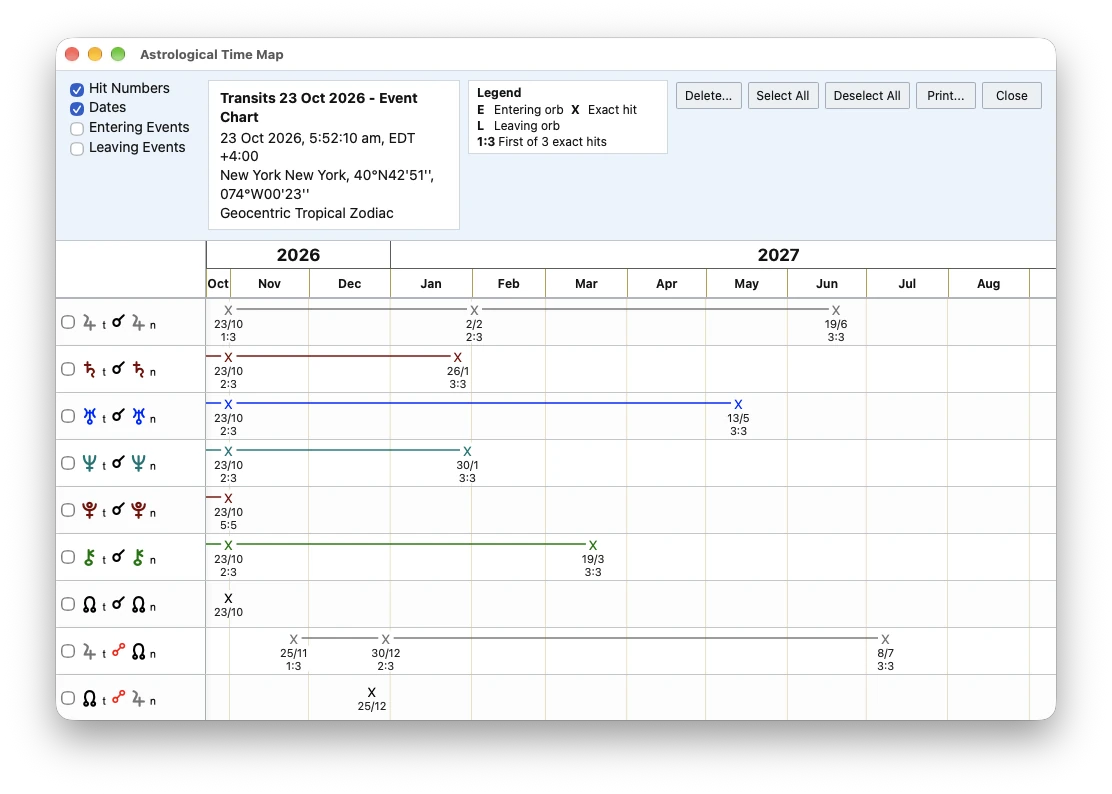
Dynamic events plotted along the Astrological Time Map.
The Time Map lays every dynamic event of a report along one ruler of time.
Related feature →Examine angular lines on the map and compare them with a relocated chart.
Related feature →Examine midpoint relationships on a dial and review their positional context in the speculum.
Related feature →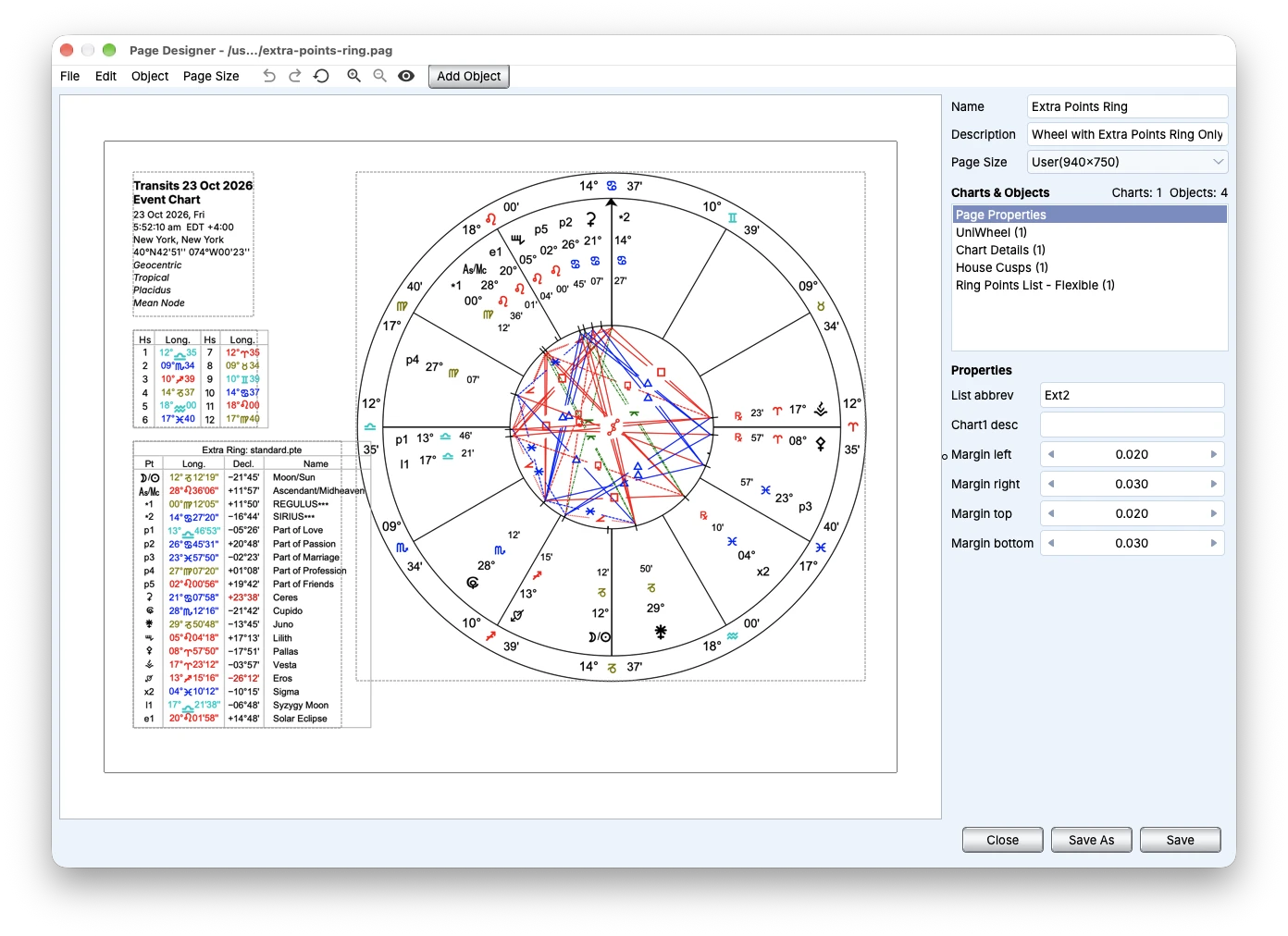
A populated chart-page layout in Page Designer.
From raw calculation to a designed client page in the Page Designer.
Related feature →